NAME
zeughaus - a workbench you live in
Graphs, terminals and jobs in one workspace, owned by a headless runner that outlives every window. Its shells survive even the runner's own restart.
SYNOPSIS
spacetime startzeughaus-runner[joinhost[:port]/database]zeughaus[joinhost[:port]/database]
Build and run it: zeughaus-install(8). How it works: zeughaus-architecture(7). Source: github.com/tuco86/zeughaus.
DESCRIPTION
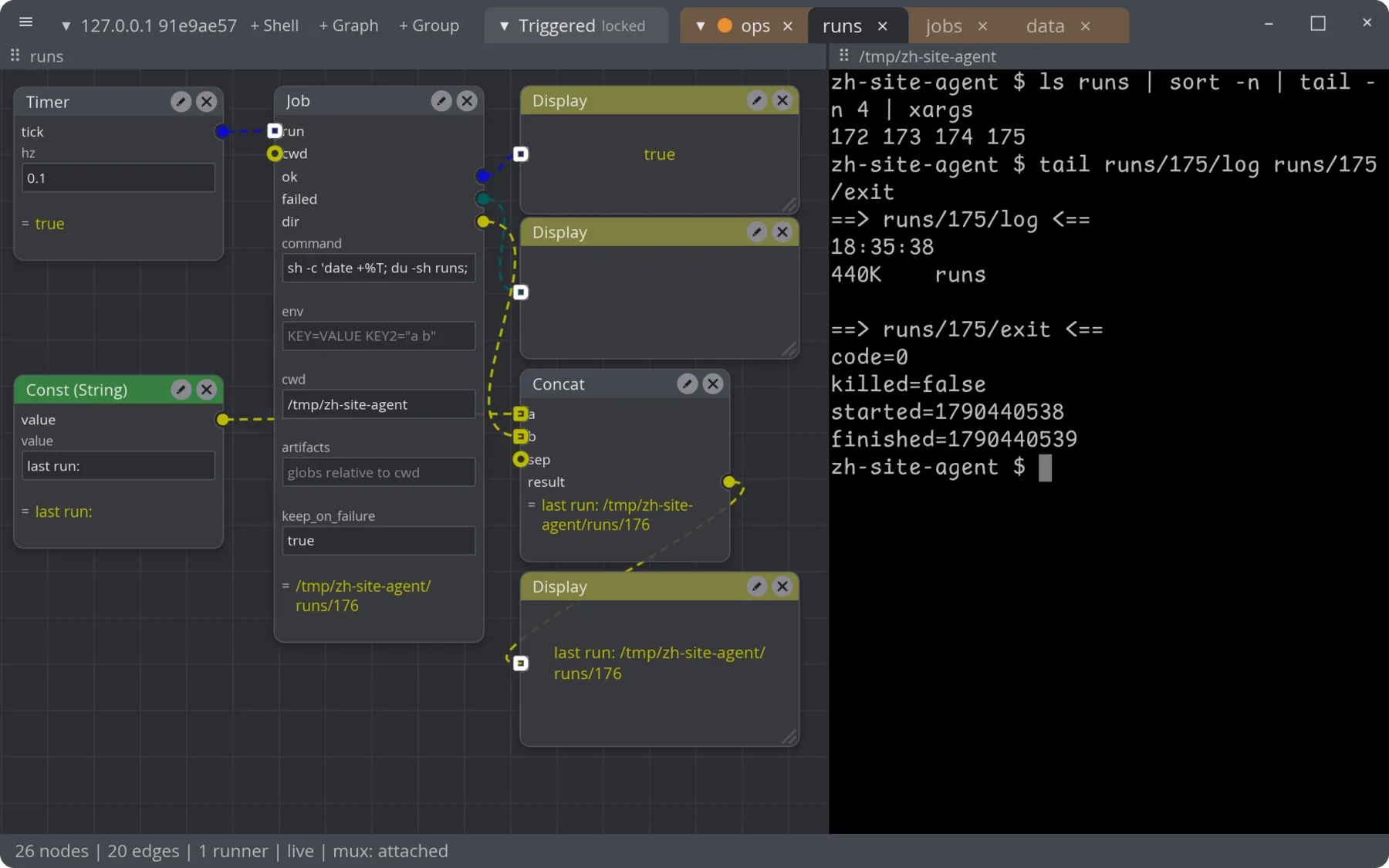
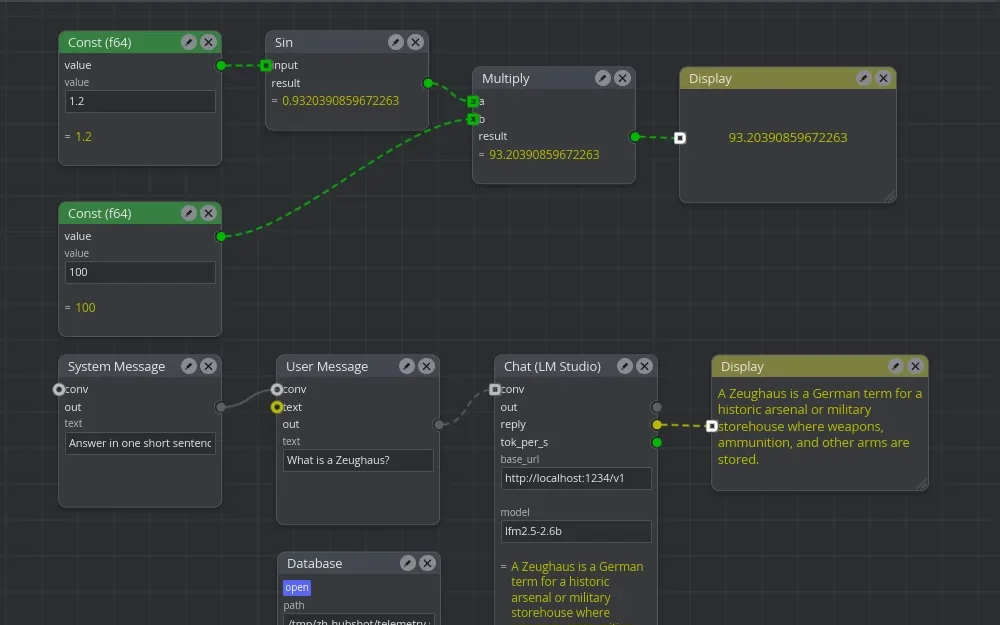
zeughaus is a visual dataflow workbench built on iced and iced_nodegraph. A graph of nodes composes tools that usually live in separate programs: math and string transforms, screen capture, SQLite schemas drawn as nodes, LLM conversations, Keras model design, recordings, and jobs that run processes. The graph is edited by any number of editors at once and executed by one headless process, the runner.
THE RUNNER OWNS THE WORK
The editor never executes a node. zeughaus-runner does, and it owns what a session accumulates: the graphs it executes, the shells in its terminals, the processes its jobs start and the log of every run. Each editor is a view onto that runner: the one on the same machine, one on another machine, one in a browser.
Tabs belong to the runner as well. Its section of the tab bar holds loose tabs and coloured groups, each tab a split of terminals and graphs, and every editor shows the same section.
Every terminal lives in a shim process of its own. SIGUSR1 makes the runner save its workspace and execute its binary again; the new process reattaches every shim, so the shells keep running with their screens. Installing a new build of the runner is a reload, not the end of your shells.
ONE GRAPH, MANY TOOLS
Nine plugins, one catalog, one kind of wire. The full list with every pin and setting is zeughaus-nodes(7).
transform- 35 math, trig, logic, comparison and string nodes, constants, and Display, which shows the value arriving on it.
flow- Timer, the clock a source needs; Button, a manual event from any editor; Hold; All, which fires once every wired input has fired.
graph- Subgraphs: containers with input and output boundary nodes.
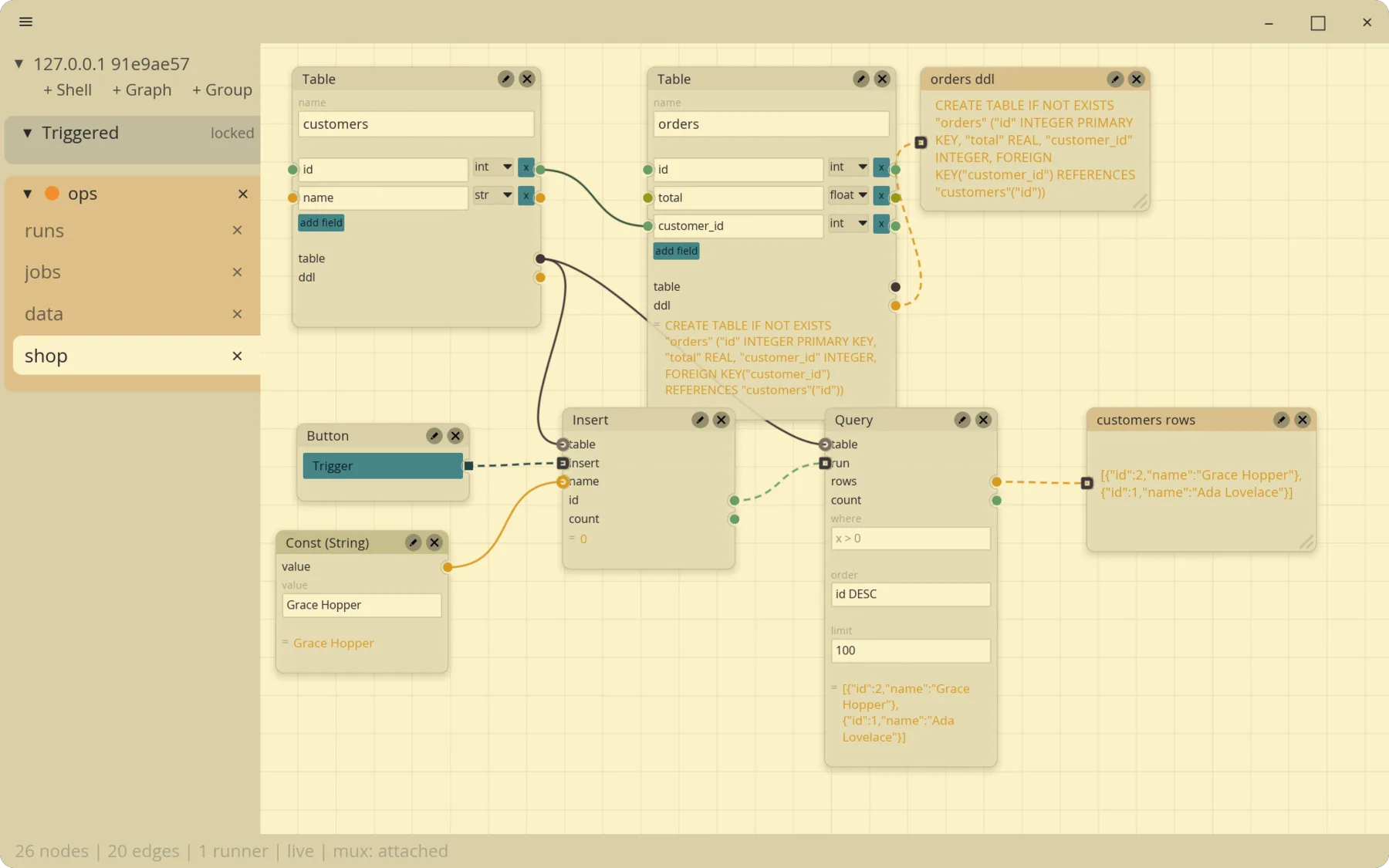
db- SQLite. A table node is its schema; a wire between two field pins is a foreign key. Insert, Query and SQL work on the file.
llm,ml- Conversations against an LM Studio endpoint; Keras layers as nodes, exported as functional-API Python.
capture,record- Screen capture (xdg-desktop-portal on Wayland); a recorder that writes frames and values to disk and a player that replays them as a source.
job- A process run in a terminal the runner owns.
TERMINALS AND JOBS
The runner is also a terminal multiplexer. Any editor can view a terminal; one holds its lease and types, and Ctrl+Shift+T takes control. Closing an editor window leaves the shell running.
A job.run node runs its command line when its run pin fires or it is pressed, in a terminal the runner owns. Its ok and failed pins drive whatever comes next. A failed run keeps its terminal, with a shell left open in the job's directory and environment: a place to look, not a log to read. Every run keeps runs/id/log under the state directory.
zeughaus-runner trigger presses a node from a script, a cron entry or a relay, over the same authenticated link an editor uses; the run it starts lands in the runner's Triggered group. See zeughaus-runner(1).
![A split tab. On the left a Button fires two Job nodes: build runs sh -c 'echo building; sleep 2; ...' and its failed pin shows 3 on a Display; check runs sh -c 'echo checking; sleep 1; ...' and its ok pin shows true. On the right the failed build's terminal: building, then [zeughaus] exit 3; a shell follows, then a prompt where cat $ZEUGHAUS_RUN_DIR/code prints 3 and echo $ZEUGHAUS_RUN_DIR prints /tmp/zh-site-agent/runs/220.](https://zeughaus.doodleshnookie.net/captures/jobs-1800.webp)
THE PALETTE
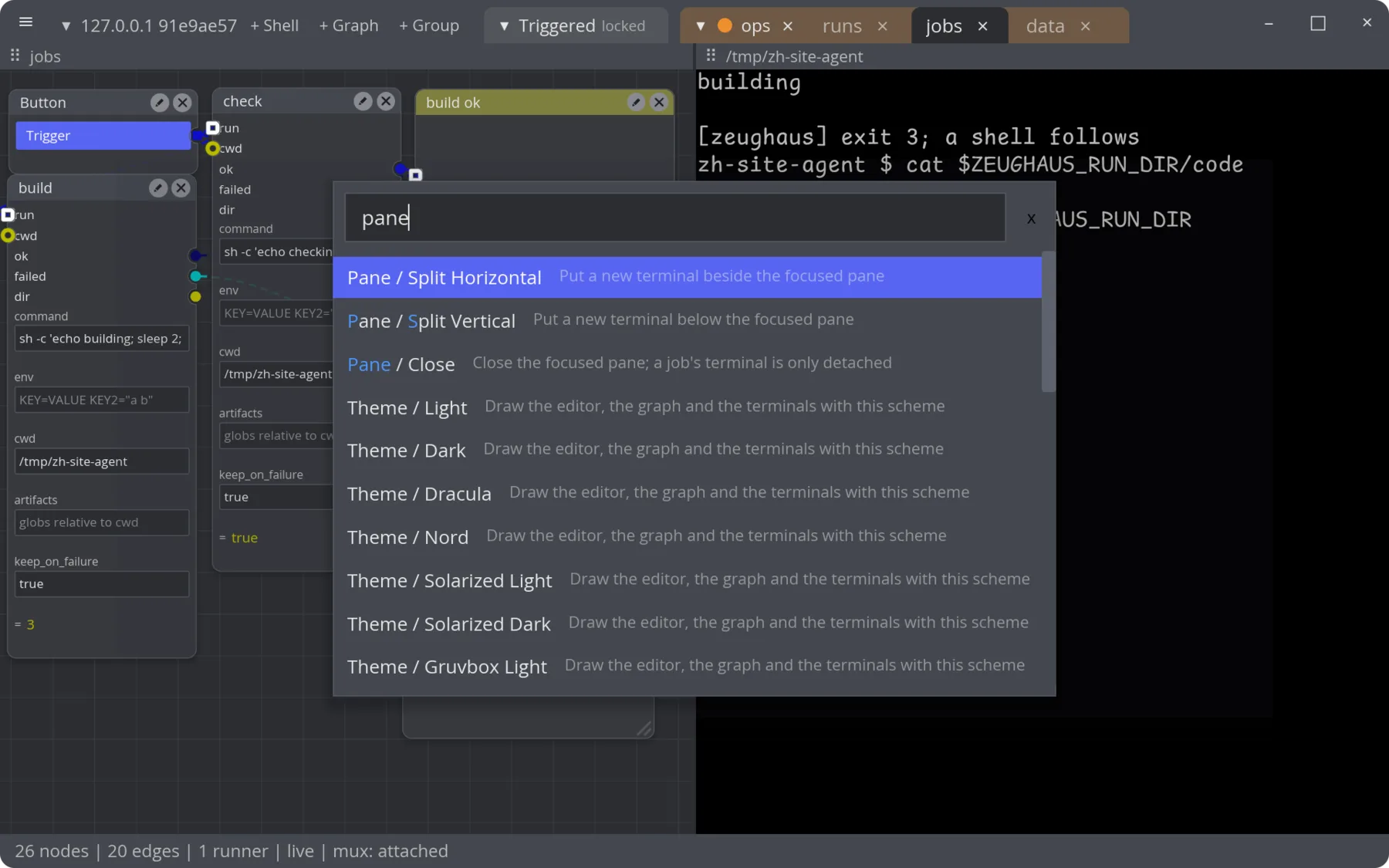
Ctrl+Space opens the command palette over whatever tab is in front: spawn a node into the focused graph, split or close a pane, attach a job's terminal, hold or release a runner, pick a theme. It holds the keyboard while it is open, even over a terminal.
This manual has the same palette. Press Ctrl+Space here to find a page, a node type, a key or an editor command.
THEMES
A theme pairs the editor's colours with a terminal colour scheme: sixteen ANSI colours, foreground, background, cursor and selection. The graph takes its semantics from the same slots: a Float pin is green, a Str pin yellow, a Bool pin blue. Twenty-two themes ship with the editor, and any WezTerm scheme dropped into themes/ under the state directory becomes one more.
This page is drawn from the same schemes. Type theme into the palette, walk the list and the manual recolours as you go; Enter keeps it.
HOW THE PARTS MEET
The store (SpacetimeDB) holds the graph document and who is connected, and nothing a pass produces. Values, errors, frames and terminals travel from the runner to each editor over weida, a QUIC messaging framework, with both ends proving their identity. That is why a screen capture fires once per session, not once per open window. The long version is zeughaus-architecture(7).
STATUS
Capabilities at zeughaus 0.1.0-alpha.1, the first release, as the architecture document separates them.
zeughaus-runner trigger and holdokSIGUSR1 reload of runner and editorok14 ok; 1 partial; 5 not built. The full list is under FUTURE DIRECTIONS in zeughaus-architecture(7).
AUTHOR
Written by tuco86, together with coding agents. zeughaus is sheet 03 of doodleshnookie.net, the logbook of three Rust projects and of building them that way.
COPYRIGHT
zeughaus is licensed under the MIT license or the Apache License 2.0, at your option (LICENSE-MIT, LICENSE-APACHE in the repository).
SEE ALSO
zeughaus-install(8), zeughaus-architecture(7), zeughaus(1), zeughaus-runner(1), zeughaus-nodes(7), zeughaus-keys(7), zeughaus-files(5), zeughaus-glossary(7)
Source: github.com/tuco86/zeughaus